NoForcedPacks › Guides
How to bypass or skip server resource packs in Minecraft
Updated 2026-10-20 · Minecraft Java 1.21.11, 26.1, 26.2, 26.3
Vanilla Minecraft can refuse a server pack (Edit server → Server Resource Packs: Disabled), but servers that require their pack won't let you play with it refused. To skip the pack and still play, install the free client-side Fabric mod NoForcedPacks and turn the pack off in Options → Resource Packs.
Option 1: the vanilla setting
- Open Multiplayer, select the server and click Edit.
- Set Server Resource Packs to Disabled and click Done.
This works on servers where the pack is optional. Many big servers mark their pack as required, though, and then refusing it means you can't play there. That's when you need a mod.
Option 2: bypass a required pack with NoForcedPacks
NoForcedPacks accepts the pack, so the server is happy, and then lets you turn it off on your side like any normal resource pack. Nothing is installed on the server, so it works on servers you don't own.
- Install Fabric Loader (Minecraft Java 1.21.11, 26.1.x, 26.2 or 26.3). No Fabric API needed.
- Put NoForcedPacks in your
modsfolder. - Join the server and let the pack load.
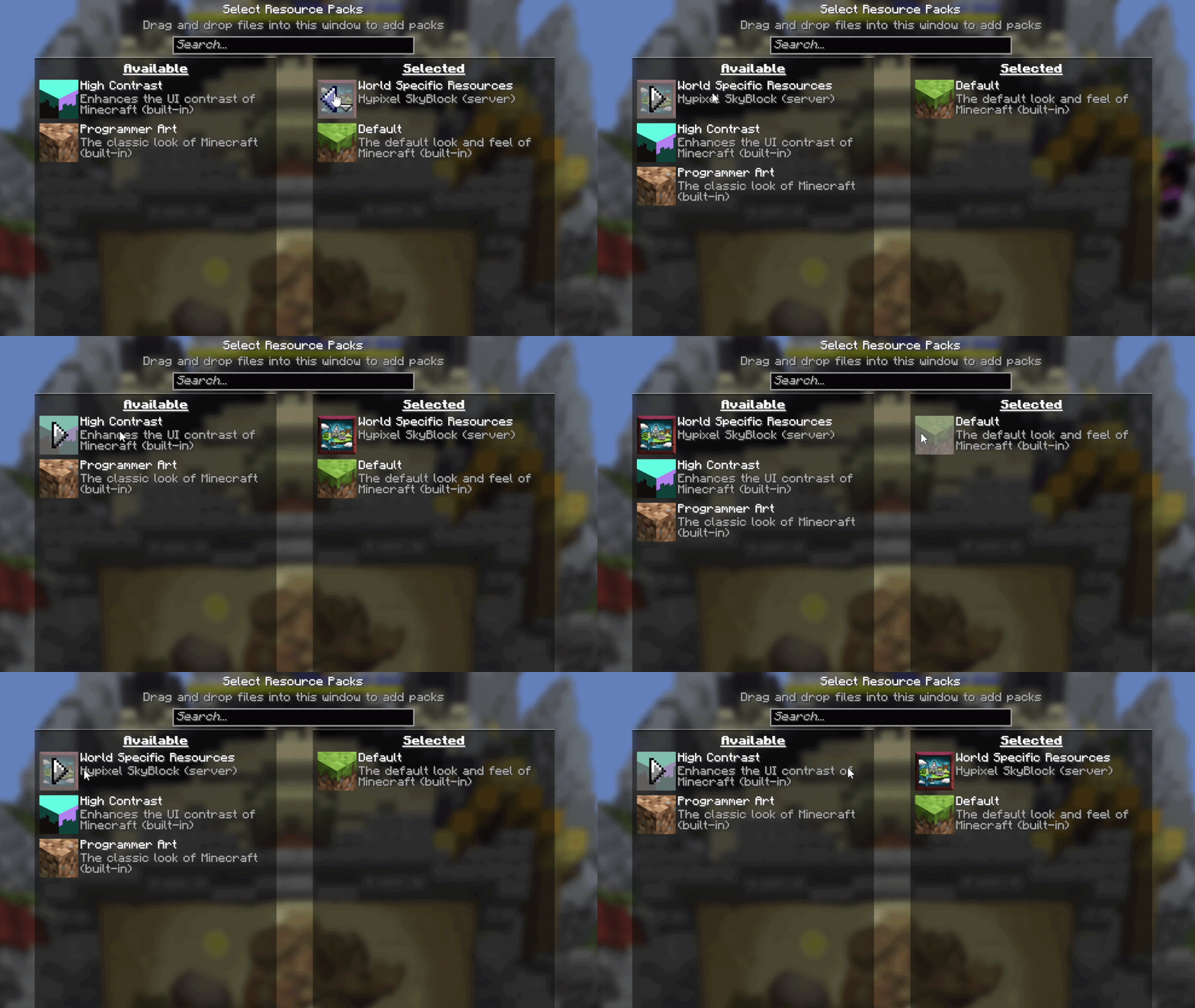
- Open Options → Resource Packs, move the server's pack to Available, and click Done.
It stays off across rejoins and restarts, and your own packs are never touched.
Skip only part of the pack
Sometimes a server pack is mostly fine. With NoForcedPacks you can keep it on and, in Individual Textures, set single items back to vanilla or hide only the pack's UI.
FAQ
- Why can't I join after setting Server Resource Packs to Disabled?
- The server marks its pack as required, so refusing it means you can't play there. A client-side mod like NoForcedPacks accepts the pack and then lets you turn it off on your side.
- Does bypassing a server resource pack need anything on the server?
- No. NoForcedPacks is fully client-side. Only you install it, so it works on any server, including ones you don't own.
- Will it remove my own resource packs?
- No. Only the server's pack is affected. Packs you installed yourself stay exactly as you set them.