NoForcedPacks › Guides
How to disable the Hypixel SkyBlock texture pack
Updated 2026-10-20 · Minecraft Java 1.21.11, 26.1, 26.2, 26.3
Install the free Fabric mod NoForcedPacks, join Hypixel, open Options → Resource Packs and move the Hypixel SkyBlock pack to the left. It stays off every time you join. Works on Minecraft Java 1.21.11 and 26.1 to 26.3.
Hypixel SkyBlock sends every player its own resource pack. Vanilla Minecraft only lets you accept it or not play, and the pack doesn't show up in your Resource Packs list, so there's no way to switch it off. NoForcedPacks changes that: the SkyBlock pack becomes a normal entry in your list that you can turn off, or keep and trim down.
Steps
- Install Fabric Loader for your Minecraft version (1.21.11, 26.1.x, 26.2 or 26.3). You don't need Fabric API.
- Download NoForcedPacks from Modrinth and put the
.jarin yourmodsfolder. - Start Minecraft with the Fabric profile and join
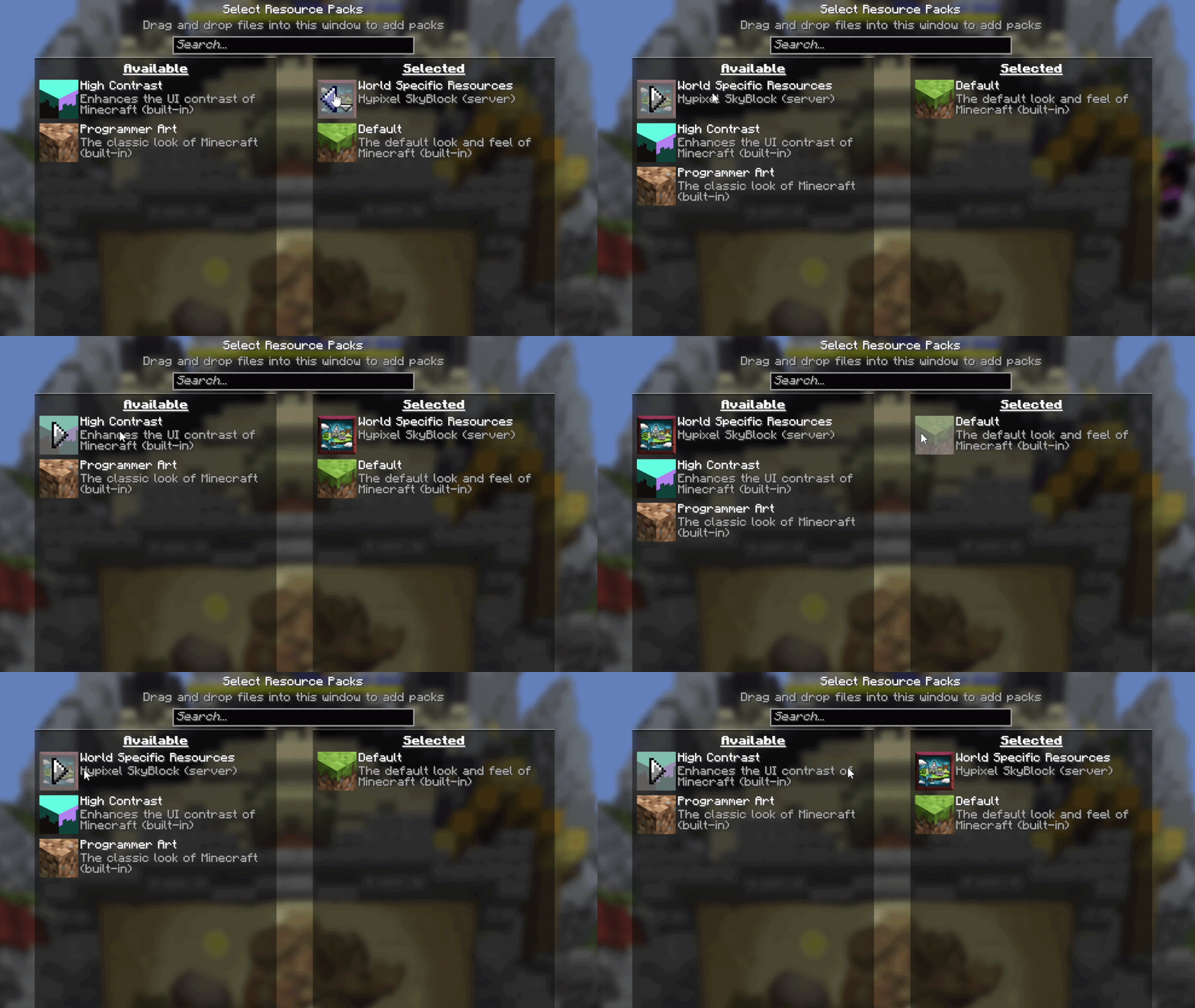
mc.hypixel.net. Go to SkyBlock so the pack loads. - Open Options → Resource Packs. The SkyBlock pack is listed under Selected as World Specific Resources, with Hypixel SkyBlock (server) under it.
- Move it to the Available side and click Done. Your items, armor and menus go back to vanilla.
Your choice is saved. Next time you join, the pack stays off. To bring it back, move it to the right again.
Keep the pack, remove only some textures
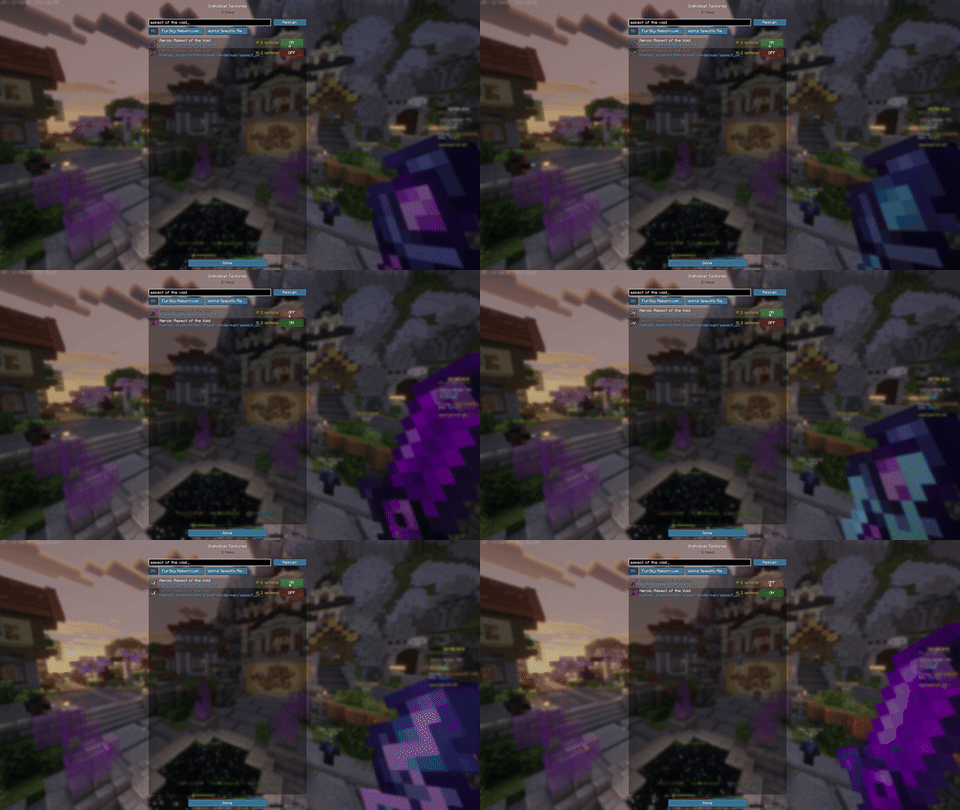
Like most of the new SkyBlock textures but hate a few? Leave the pack on and open Individual Textures (the TXT Packs button in the pause menu). Search for an item, for example Aspect of the Void, and set it to Vanilla. Only that item changes back.
You can also turn off only the pack's UI (menus, HUD, tooltips) with UI off for… at the top, and keep its item textures.
FAQ
- Can I disable the Hypixel SkyBlock texture pack without a mod?
- Not really. If you refuse the pack, a server that requires it won't let you play with it refused, and vanilla Minecraft has no setting to switch off a pack after you accept it. A client-side mod like NoForcedPacks is the way to turn it off and keep playing.
- Is disabling the SkyBlock texture pack bannable?
- NoForcedPacks only changes what you see on your own screen and gives no gameplay advantage. Still, check Hypixel's rules: you're responsible for how you use it.
- Why are my tooltips magenta boxes after turning off the pack?
- Some SkyBlock items point to tooltip styles that only exist in Hypixel's pack. NoForcedPacks detects this and draws the vanilla tooltip instead.